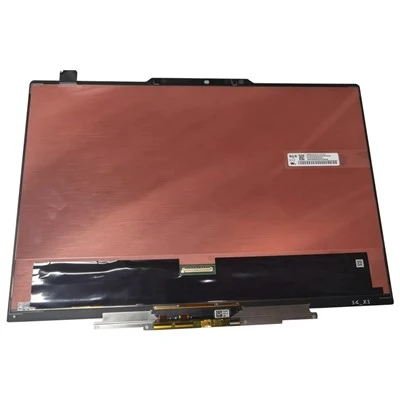
With the continuous development of the LCD splicing screen industry, 46-inch LCD splicing screens have become the main force in the LCD industry and are favored by more and more users. In fact, many users do not understand the internal structure of LCD splicing screens. I don’t know how to solve the problems encountered in the process. The left and right black screen problem of LCD splicing screen is one of them. How to solve this problem? Shenzhen Siyuan Video LCD splicing screen manufacturer teaches you five tricks!
LCD splicing screen
1: Check if the graphics card is overclocked too much. If the graphics card is used for overclocking, irregular and discontinuous horizontal stripes will generally appear. At this time, the extent of overclocking should be appropriately reduced. Please pay attention to start by reducing the video memory frequency.
LCD splicing screen
Two: Check whether the connection between the LCD splicing screen and the graphics card is loose. The common phenomenon of Z is that poor contact will cause "clutter" and "nozzle"-like screens to appear.
Three tricks: Check whether the resolution or definition of the LCD splicing screen is set too high. The resolution of the LCD screen is generally lower than that of the monitor. If it exceeds the Z best resolution recommended by the splicing screen manufacturer, the screen may appear blurred.
LCD splicing screen
Step 4: Check if an incompatible graphics card driver is installed. This is usually easy to overlook, because the graphics card drivers are updated faster and faster (especially NVIDIA graphics cards), some users always can't wait to install the new version of the driver. In fact, some of the new drivers of Z are either beta versions, or versions optimized for specific graphics cards or games. Using such drivers may sometimes cause screen freezes. Therefore, it is recommended that everyone try to use the driver certified by Microsoft, and it is better to use the driver provided by the splicing screen manufacturer.
Five tips: check the quality of the graphics card. If there is a blurring problem after changing the graphics card, if the first few tricks do not work, you should check whether the graphics card's anti-electromagnetic interference capability and electromagnetic shielding quality pass the test. Specifically, keep the part that may cause electromagnetic interference as far away as possible from the graphics card installation (such as a hard disk), and then see if the screen disappears. If it is confirmed that it is a graphics card that does not have the electromagnetic shielding function, you should replace the graphics card or make a shielding cover yourself.
These five methods are the main solution to the black screen problem of LCD splicing screens. Under normal circumstances, they can be solved. However, in our daily operation, some other factors may be involved, so we must understand the specific situation and specific problems. detailed analysis.