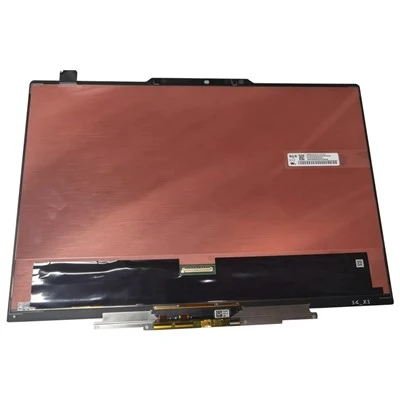
The concept of the vertical advertising machine has literally described his shape. The so-called vertical is the form of standing on the ground. The industry understands the concept of floor advertising machine, vertical advertising machine, etc., vertical advertising machine Common faults and handling.
Vertical advertising machine
1. There is no response when the vertical advertising machine is plugged in:
The failure of the vertical advertising player to respond after plugging in the power is a problem that often occurs in practical applications. In this regard, the user can try to remove the advertising player, open the back cover of the advertising player, and check whether the dedicated power supply is energized, and whether the current material is off or loose. The specific method: whether the indicator light is on when the multi-meter is used, if it is normal, it indicates that the power supply is powered. The power supply problem is ruled out, and the user should check the power supply of the decoder board, advertising player drive board, high-voltage bar, speaker, and LCD screen in turn. Where there is no power, it means that there is a problem with the accessories of the advertising machine.
2, the screen of the vertical advertising machine flickers:
In daily applications, the flickering display of the vertical advertising machine screen is a problem that users often encounter. In this regard, the user must first perform exclusion checks on external factors such as the magnetic field around the device, power supply voltage and other external factors. If it still cannot be used normally, it is necessary to perform a comprehensive check on the display's graphics driver to eliminate program installation problems. After the above operation is invalid, the user can also try to increase the refresh rate by 75HZ to see if it is feasible. If none of the above operations can achieve satisfactory results, the assistance of professionals is needed, and the user needs to send the equipment to the repair station for inspection.
3. The screen is black and displays "Signal out of sync range" or "OUT OF RANG":
This phenomenon is a thorny problem that users often see in practical applications. Generally, the signal sent by the computer exceeds the display range of the monitor, and the monitor detects an abnormal signal and stops working. In this regard, the user can try to restart the monitor and reset the output frequency of the computer.
4. There is no display on the screen, and the indicator light on the front panel flashes:
After this problem occurs, the user should check whether the signal cable connection between the monitor and the computer is firm, and check whether the signal cable connector is broken or bent or damaged.
5. When the device is switched on and off, interference patterns appear on the screen:
Generally speaking, this phenomenon is caused by the signal interference of the display card, which is a normal phenomenon, and the user can solve it by adjusting the phase automatically or manually.
6. A black spot the size of a thumb appears on the LCD screen:
This phenomenon is mostly caused by external force extrusion. Under the pressure of external force, the polarizer in the LCD panel will be deformed. This polarizer is like aluminum foil. It will not bounce up after being recessed. This causes the difference in the reflection of the liquid crystal panel, and the dark part will appear. Part of it is easy to find under the white screen, and the general size is more than ten square millimeters, which is the size of a thumb. Although this phenomenon will not affect the service life of the LCD screen, users should pay more attention not to press the LCD screen with their fingers.
7. There is no sound from the vertical advertising player:
After this problem occurs, the user can first open the back cover of the advertising player, use a multimeter to check whether the function of the driver board is powered on, and then check whether the speaker cable is connected properly. If the loudspeaker is noisy, it means that the advertising player's drive board has been damaged and should be replaced immediately.
8. Matters needing attention when cleaning the vertical advertising machine:
To clean the shell of the vertical advertising player, use a cotton cloth dampened with water to wipe it. Do not use any cleaning agents. This will easily cause the shell to lose its factory luster. When cleaning the LCD screen, avoid using a damp cloth that contains too much moisture to prevent moisture from entering the screen and causing internal short circuits. It is best for users to use soft objects such as glasses cloth and lens paper for wiping, which can prevent moisture from entering the inside of the screen and prevent scratches.