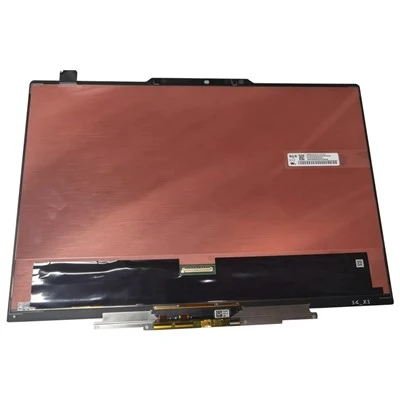
The led display is currently a hot product in the field of large screens and can be used in different fields and places; but after investigation and investigation, we found that the led display may face system failures during the reuse process, causing it to fail to work normally. Today Winbond Ying Optoelectronics will take you to understand some specific methods and steps about troubleshooting LED display failures.
led display
Step 1: Check whether the graphics card setting part is set up properly. The setting method is in the CD-ROM electronic file as needed, please refer to it.
Step 2: Check the basic connection of the system, such as the DVI cable, whether the network cable socket is correct, the connection between the main control card and the computer PCI socket, the serial cable connection, etc., the connection method has been illustrated, please refer to it carefully
Step 3: Check whether the computer and LED power system meet the usage requirements. When the power supply of the LED screen is insufficient, when the display is close to white (high power consumption), it will cause the screen to flicker. Prepare a suitable power supply according to the power demand of the cabinet.
Step 4: Check whether the green light of the sending card flickers regularly. If it flickers, go to step 6. If it doesn’t flicker, restart it. Check whether the green light flickers regularly before entering the win system. If it flickers, go to the second step, please check the DVI Whether the cable connection is well connected, if the problem is not resolved because one of the sending card, graphics card and DV cable I is faulty, please replace it separately and repeat step 3.
Step 5: Please set it up according to the software instructions or reinstall it again, until the green light of the sending card flashes, otherwise repeat step 3.
led display
Step 6: Check whether the green light (data light) of the receiving card flashes synchronously with the green light of the sending card. If it flashes, go to step 8 and check whether the red light (power) is on. Protection) is on, if it is not on, check whether the power supply is connected reversely or if there is no output from the power supply. If it is on, check whether the power supply voltage is 5V. If it is turned off, remove the adapter card and the cable and try again. , Replace the receiving card, repeat step 6.
Step 7: Check whether the network cable is well connected or too long (standard super 5 network cable must be used, and the longest distance of the network cable without repeater is less than 100 meters), and check whether the network cable is made according to the standard (please refer to the system installation and setting ), if the problem is not resolved, the receiving card is faulty, replace the receiving card and repeat step 6.
Step 8: Check whether the power light of the large screen is on, if not, go to step 7 to check whether the interface definition line of the adapter card matches the unit board. Note: After most of the screens are connected, there may be no screen or blurry screen in some cabinets. Because the RJ45 interface of the network cable is not connected firmly, or the power of the receiving card is not connected, the signal does not pass through, so please plug it in again. Network cable (or exchange), or plug in the power of the receiving card (note the direction) can solve the problem
Malfunctions are inevitable, just like the misery and frustration in our lives, as long as we take it seriously, it will soon be clear, or the LED display can return to normal work.