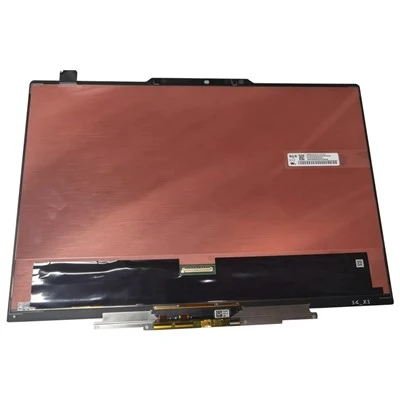
The LED display is malfunctioning. Do you know how to solve it? The following editor will talk about solutions to common failures of LED displays.
1. The display does not work, and the green light of the sending card flashes (made into a retractable type)
The cause of the fault: the screen has no power; the network cable is not connected well; the receiving card has no power or the power supply voltage is too low; the sending card is not good; the signal transmission intermediate device is connected or faulty (such as: function card, optical fiber transceiver box).
Troubleshooting method: check whether the screen power supply is normal; check and reconnect the network cable; ensure that the DC output power of the power supply is 5-5.2V; replace the sending card; check the connection or replace the function card (optical fiber transceiver box).
2. The display does not work, and the green light of the sending card does not flash
The cause of the failure: the DVI or HDMI cable is not connected; the copy or expansion mode in the control panel of the graphics card is not set; the software chooses to turn off the power of the large screen; the sending card is not inserted or the card is faulty.
Troubleshooting: check the DVI cable connector; reset the copy mode; the software chooses to turn on the power of the large screen; reinsert the sending card or replace the sending card.
3. When starting up, it prompts "The large screen system was not found"
The cause of the fault: the serial port or USB cable is not connected to the sending card; the computer's COM or USB port is not good; the serial port or USB cable is broken; the sending card is not good; the USB driver is not installed.
Troubleshooting: confirm and connect the serial cable; replace the computer; replace the serial line; replace the sending card; install new software or install the USB driver separately.
4. The strip with the same height as the light board is not displayed or part of it is not displayed, lacking color
Reason: The flat cable or DVI cable (for submarine series) is poorly connected or disconnected; there is a problem with the front output or the latter input of the node indicator light.
Troubleshooting method: re-insert or replace the cable; first determine which display module is faulty, and then replace and repair it.
5. Some modules are not displayed (3-6 blocks)
Reason: The power supply is protected or damaged; the AC power cord is in poor contact.
Troubleshooting method: Check whether the power supply is normal; reconnect the power cord.
6. The whole box is not displayed
The cause of the failure: 220V power cord is not connected; there is a problem with the network cable transmission; the receiving card is damaged; the HUB board is placed in the wrong place.
Troubleshooting method: check the power cord; confirm to replace the network cable; replace the receiving card; re-insert the HUB.
7. The entire screen cost, shadows and actions
The cause of the failure: the driver loading program is incorrect; the network cable and screen of the computer are too long or the quality is not good; the sending card is bad.
Troubleshooting: Reload the receiving card file; reduce the cable length or replace the cable; replace the sending card.
As shown in Figure 8, the entire display shows the same content of each display unit
Reason: The display connection file was not sent.
Troubleshooting method: Reset the sending screen file, and connect the network cable of the computer connected to the output port of the sending card to the vicinity of the indicator when sending.
9. The display brightness is very low and the display image is blurred
Reason: The card program error occurred; the function card setting is incorrect.
Troubleshooting method: restore the default settings of the sending card and save; set the display to the minimum brightness value of 80 or higher.
10. The whole screen is shaking or ghosting
Reason: Check the communication line between the computer and the large screen; check the DVI cable of the multimedia card and the sending card; the sending card is bad.
Troubleshooting method: re-plug or replace the communication line; strengthen the DVI line; replace the sending card.